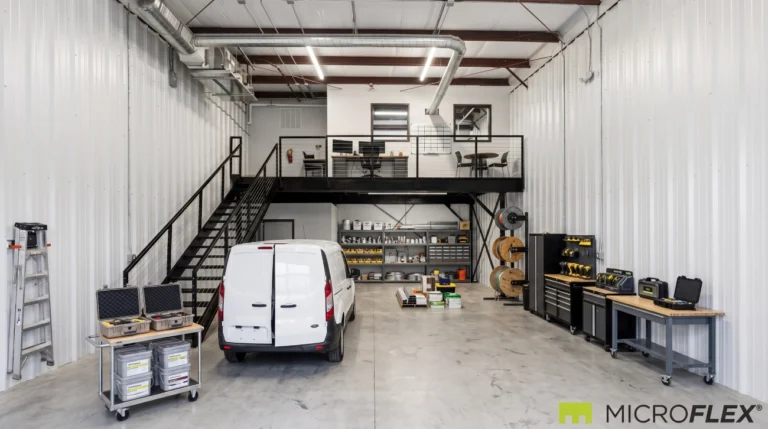
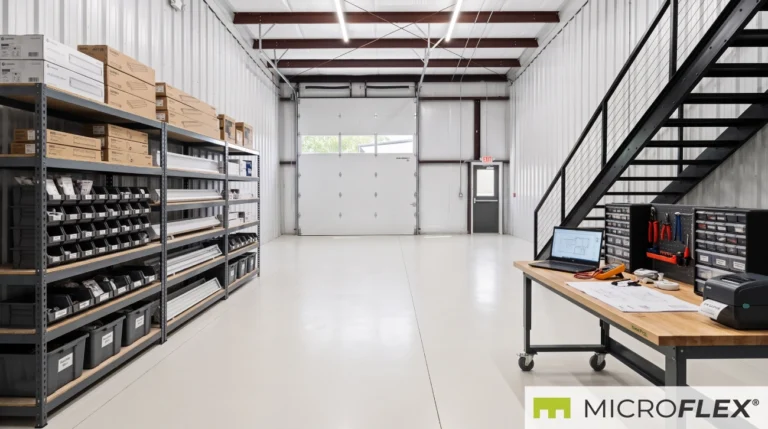
Many e-commerce businesses begin in a spare room, garage, or basic storage setup. That may work in the beginning, but growth often creates operational friction. Inventory starts taking over the space, packing materials become harder to manage, returns get mixed with sellable stock, and the daily workflow slows down.
A flex industrial unit can help bring those functions into one organized operating base.
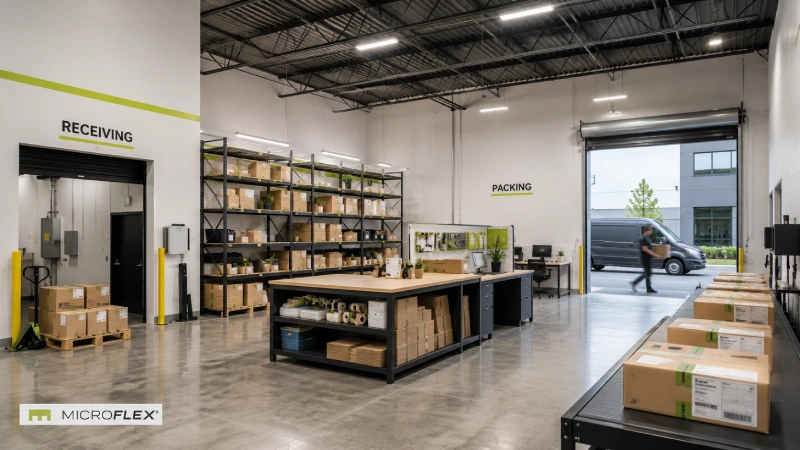
For an e-commerce business, the goal is not simply to find space for boxes. The real goal is to create a workflow that supports receiving, inventory storage, picking, packing, returns handling, and outbound staging in a way that remains practical as order volume grows.
MicroFlex® provides purpose-built small-bay flex industrial units designed for active business operations. Typical units at purpose-built MicroFlex locations are approximately 1,000 to 1,250 square feet, with features such as a drive-up roll-up door, private restroom, HVAC, LED lighting, and a pre-built configuration.
This guide explains how an e-commerce business can organize a MicroFlex unit around a practical fulfillment workflow and how different MicroFlex configurations may support different operational needs.
E-Commerce Fulfillment Workflow at a Glance
An e-commerce fulfillment setup works best when the unit is organized around a clear movement path from receiving to outbound shipping.
| Workflow Stage | Purpose | Typical Function in the Unit |
|---|---|---|
| Receiving | Inventory enters the unit | Unload, inspect, count, and sort incoming products |
| Inventory Storage | Products are stored in assigned locations | Shelving, SKU organization, and stock accessibility |
| Picking | Items are collected for orders | A clear picking path through inventory |
| Packing | Orders are prepared for shipment | Packing table, packaging materials, labels, and order checks |
| Returns | Returned items are processed separately | Inspection, restock, hold, or separate handling |
| Outbound Staging | Completed orders wait to leave the unit | Prepared orders kept separate from incoming inventory |
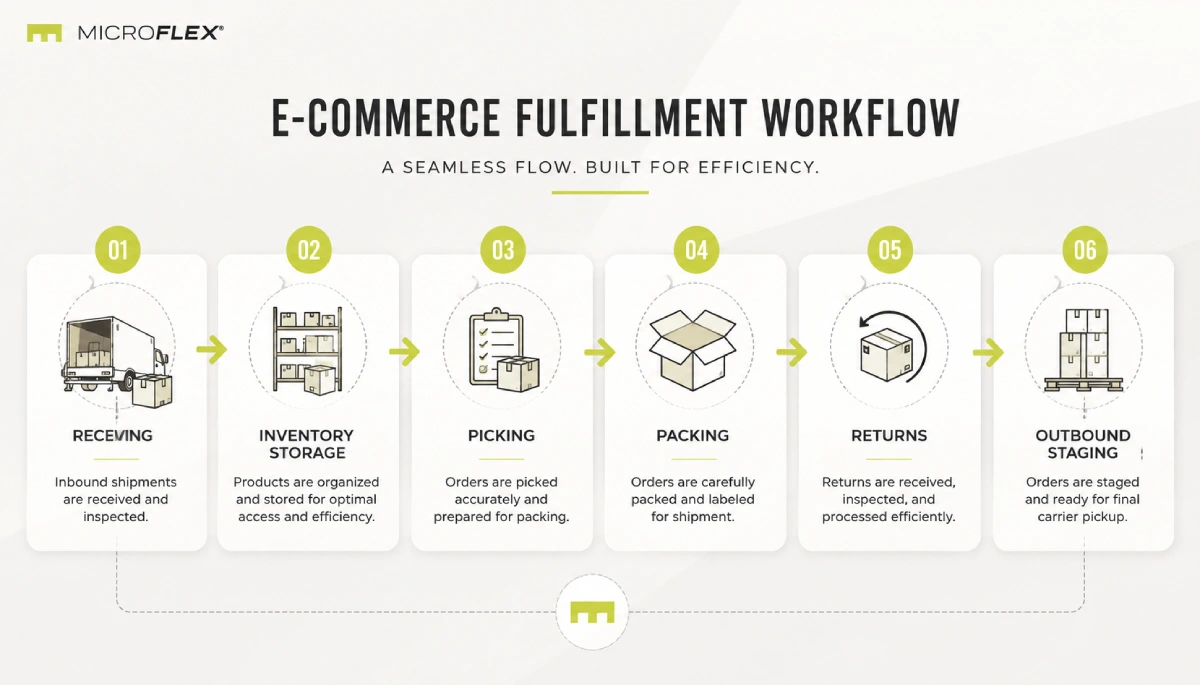
The operational sequence can be summarized as:
Receiving → Inventory Storage → Picking → Packing → Returns → Outbound Staging
When the unit is laid out around that sequence, the business can reduce unnecessary movement, keep inventory more organized, and make the daily workflow easier to repeat.
In This Guide
- Why workflow matters for e-commerce businesses
- How to divide a flex unit for fulfillment
- Setting up the receiving zone
- Organizing inventory storage
- Creating a picking flow
- Building a practical packing station
- Handling returns without disrupting operations
- Managing outbound staging
- When an office helps an e-commerce operator
- Which MicroFlex configuration may fit the workflow
- How Auburn-Opelika differs
- Frequently asked questions
Why Workflow Matters More Than Square Footage Alone
For an e-commerce business, the most important question is not just how much inventory fits into the unit. It is how efficiently inventory moves through it.
Two businesses with the same amount of stock may use the same square footage very differently. One may struggle with cluttered aisles, mixed returns, disorganized packaging supplies, and no clear picking route. Another may operate more efficiently because the unit has been divided into logical zones.
A useful fulfillment layout should answer practical questions such as:
- Where will inbound products go first?
- How will products be stored and labeled?
- How will orders be picked without unnecessary backtracking?
- Where will boxes, mailers, labels, and packaging supplies be kept?
- How will returns be separated from active sellable stock?
- Where will completed orders wait before they leave the unit?
By defining those stages clearly, the business can use the space as an operating workflow rather than simply as a storage room.
How to Divide a Flex Unit for E-Commerce Fulfillment
A small-bay fulfillment setup generally works best when the unit is divided into defined operational zones.
| Zone | Primary Purpose | Key Planning Consideration |
|---|---|---|
| Receiving Zone | Temporary intake area for incoming inventory | Keep it near the roll-up door where practical |
| Inventory Storage Zone | Primary product storage | Use clear shelf logic and separate fast-moving stock |
| Picking Path | Movement route for collecting order items | Reduce cross-traffic and backtracking |
| Packing Station | Order preparation and final packing | Keep commonly used supplies close to the work surface |
| Returns Zone | Separate handling of returned items | Keep returns separate from normal sellable inventory |
| Outbound Staging | Prepared orders ready to leave | Keep close to the exit path without blocking circulation |
| Administrative Area | Desk-based work and order management | Consider a separated office if administrative work is frequent |
These zones do not need to be large to be effective. They need to be clearly defined so that each part of the unit has a consistent operational purpose.
1. Set Up a Receiving Zone Near the Entry Point
The receiving zone is the first stop for incoming inventory.
In many small operations, this is where disorder begins. Boxes arrive, get placed wherever space is available, and remain there longer than planned. That slows down inventory intake and creates clutter near the entrance.
A receiving zone can create a more structured process. The area does not need to become permanent bulk storage. It should function as a temporary intake point where products are:
- unloaded
- counted or checked
- sorted by product or SKU
- prepared to move into assigned inventory locations
Keeping the receiving zone near the roll-up door can make the movement of cartons into the unit more direct. Once products have been processed, they should move into their normal storage positions rather than remaining in the receiving area.
2. Organize Inventory Storage Around Accessibility
Inventory storage should be built around how often products move, not simply where shelving fits.
Fast-moving products should generally be easier to access than slower-moving items. Oversized or specialty products may need dedicated positions, while reserve inventory can be separated from primary picking locations.
A practical system may separate inventory into categories such as:
- Fast-moving SKUs: frequently picked products in easy-access positions
- Standard inventory: regularly sold products in assigned shelf locations
- Slow-moving SKUs: products positioned farther from the main picking route
- Oversized items: products requiring separate floor or shelving space
- Reserve stock: additional inventory separated from primary pick positions
Clear labeling matters. Shelves, bins, or storage positions should be easy to identify during picking and restocking.
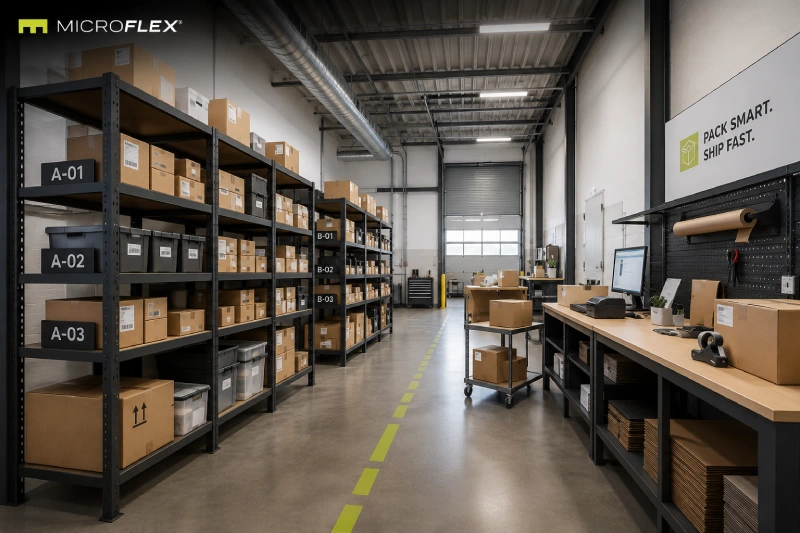
3. Create a Picking Flow That Minimizes Backtracking
Picking becomes inefficient when operators repeatedly move back and forth across the entire unit to assemble an order.
A more logical setup creates a clear picking path through the inventory area.
Frequently ordered products can be positioned along more accessible sections of that route, while slower-moving or reserve inventory can sit farther away.
The packing station should also connect logically to the end of the picking flow so collected products can move naturally into the next stage.
The objective is not to create an overly complex warehouse system. It is to make the path from stored inventory to packed order clear and repeatable.
4. Build a Packing Station Around Repetition
The packing station is one of the most active areas of an e-commerce fulfillment workflow.
A dedicated packing station keeps frequently used tools and supplies in one predictable place rather than allowing order preparation to move around the unit.
A typical packing area may include:
- packing table or work surface
- boxes or mailers
- tape and packing tools
- void fill or protective packaging materials
- labels and shipping documents
- frequently used order supplies
The most frequently used materials should remain within easy reach of the work surface.
It is also useful to keep completed orders physically separate from products that have been picked but are not yet packed.
5. Handle Returns Without Disrupting Sellable Inventory
Returns create confusion when they immediately re-enter the same flow as normal active inventory.
A returned item may need inspection, restocking, temporary holding, or another form of review before it returns to the normal inventory system.
A dedicated returns zone can separate returned products into categories such as:
- Ready to restock
- Needs review
- Hold or unresolved
- Not ready for active inventory
The area does not need to be large. Its purpose is to prevent returns from interrupting normal receiving, storage, picking, and packing activity.
6. Keep Outbound Staging Separate From Receiving
Outbound staging is the final point in the fulfillment workflow before completed orders leave the unit.
Prepared orders should have a defined area where they can wait without becoming mixed with incoming stock or orders that are still being processed.
A useful outbound staging setup should:
- keep packed orders near the exit path where practical
- maintain a clear circulation path
- separate outgoing orders from incoming inventory
- avoid turning the entrance into permanent storage
Clearly separating inbound and outbound activity can make day-to-day fulfillment easier to manage.
7. When an Office Helps an E-Commerce Operator
Not every e-commerce workflow needs a separate office, but some businesses regularly combine physical fulfillment with desk-based administrative work.
Those activities may include:
- customer service
- returns administration
- order management
- supplier communication
- inventory planning
- reporting and coordination
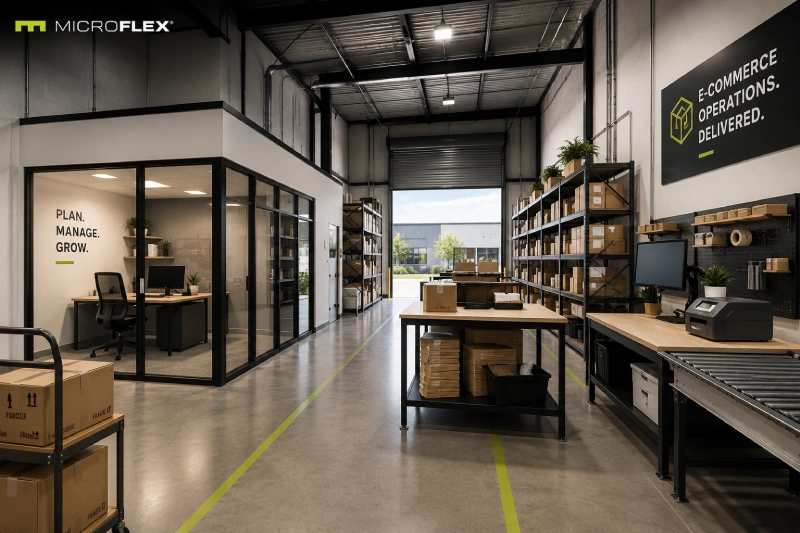
MicroFlex FLEX+ includes an enclosed rear office.
For an operation that regularly handles customer communication, purchasing, order administration, or related desk-based work from the same location, separating those activities from the fulfillment floor may create a clearer workspace.
Which MicroFlex Configuration May Fit an E-Commerce Workflow?
The appropriate configuration depends on how the business uses the space each day.
| Configuration | Layout | E-Commerce Consideration |
|---|---|---|
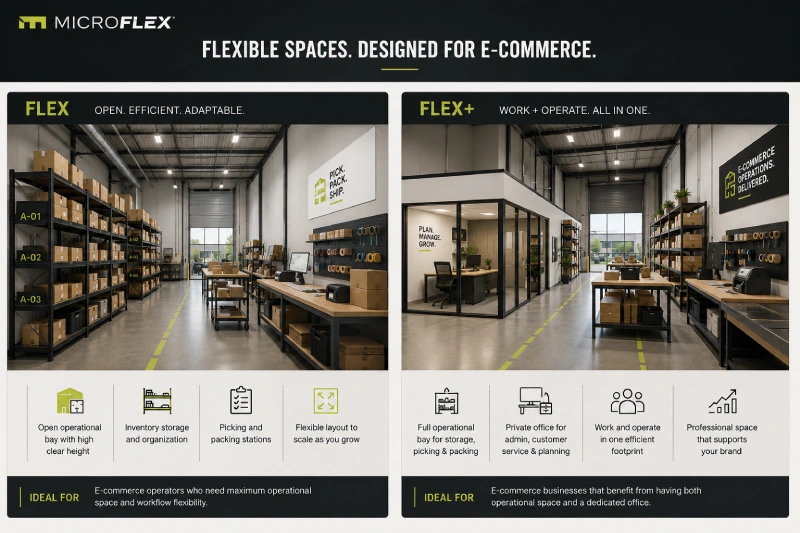
| FLEX | Open-bay base configuration | Relevant when open floor area for inventory, picking, packing, and operations is the priority |
| FLEX+ | Base configuration plus enclosed rear office | Relevant when the business combines physical fulfillment with regular administrative work |
| FLEX Premium | Base configuration plus mezzanine | May be relevant when an appropriate upper-level use supports the workflow |
| FLEX Ultimate | Full mezzanine plus premium finish | May support operations that can make practical use of the full mezzanine configuration |
The key question is not which configuration sounds best in theory. It is which available configuration aligns with the actual movement of inventory, order activity, and administrative work inside the unit.
For a more detailed explanation of the MicroFlex configurations, see:
What Flex Industrial Space Is and How MicroFlex Is Configured
How Auburn-Opelika Differs
Auburn-Opelika is a rebranded MicroFlex property rather than a purpose-built MicroFlex location.
The standard purpose-built product description should therefore not automatically be applied to this property.
At Auburn-Opelika:
- climate control varies by unit
- mezzanine configurations are not available
- units do not begin at 1,000 square feet
Businesses considering Auburn-Opelika should review current property information and confirm the details of the specific available unit.
What Lease Structure Does MicroFlex Use?
MicroFlex uses a one-year modified gross lease structure at purpose-built locations.
Specific lease obligations, unit availability, and current features should be confirmed through the relevant location page and the leasing team.
Frequently Asked Questions About E-Commerce Fulfillment in a Flex Unit
Can an E-Commerce Business Operate From a MicroFlex Unit?
MicroFlex units can support e-commerce workflows such as receiving inventory, storage, picking, packing, returns handling, and outbound staging, depending on the proposed operation and selected unit.
How Large Are Typical Purpose-Built MicroFlex Units?
Typical units at purpose-built MicroFlex locations are approximately 1,000 to 1,250 square feet. Individual locations and available units vary.
Does Every MicroFlex Unit Include an Office?
No. FLEX is the open-bay base configuration. FLEX+ includes an enclosed rear office.
Can One Unit Support Both Inventory Storage and Packing?
A practical fulfillment setup can combine inventory storage, picking, packing, returns handling, and outbound staging within one organized workflow.
What Is the Most Important Part of an E-Commerce Flex Unit Setup?
The workflow is central. The unit should be organized so inventory moves clearly from receiving to storage, then through picking, packing, returns handling, and outbound staging.
What If the Business Also Needs Administrative Space?
If customer service, order administration, supplier communication, or related desk-based activities happen regularly at the same location, a configuration with an enclosed office may be relevant.
How Can I Check Current MicroFlex Availability?
Review the current MicroFlex location pages and contact the leasing team to confirm available units, configurations, current property details, and availability.
Related MicroFlex Guides
These related articles provide additional context on small-bay operations and MicroFlex configurations:
How Small-Bay Flex Space Supports Daily Business Operations
What Flex Industrial Space Is and How MicroFlex Is Configured
How Residential Contractors Organize a 1,000 to 1,250 SF Flex Unit
Explore Current MicroFlex Locations
A useful e-commerce setup is not simply about having more room. It is about creating a clear and repeatable operational flow.
Receiving, inventory storage, picking, packing, returns, and outbound staging should each have a defined role inside the unit.
View Current MicroFlex Locations
Important Information
This article is published by Founders Investment Properties, LLC, owner and operator of MicroFlex®. Content is provided for general informational and educational purposes only. Nothing in this article constitutes legal advice, tax advice, financial advice, investment advice, insurance advice, real estate brokerage advice, or any other form of professional advice. Readers should consult their own attorneys, accountants, tax professionals, insurance brokers, and licensed real estate professionals before making decisions based on the topics discussed.
MicroFlex® is a registered trademark of Founders Investment Properties, LLC. Photos may be representative and may not reflect a specific location. Product configurations, features, lease terms, pricing, and availability are subject to change. Current information is available at microflexspace.com or by contacting the leasing team directly.