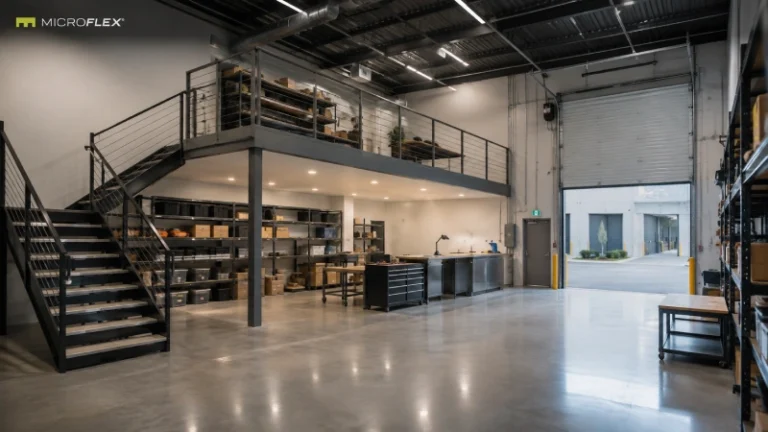
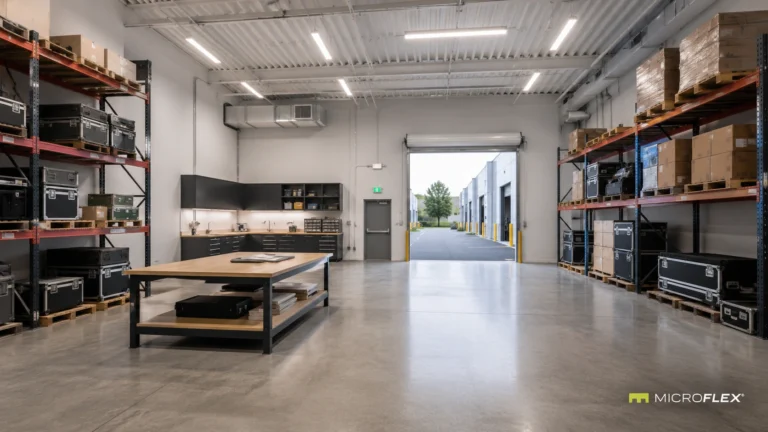
A kitting and light assembly workflow brings several connected functions into the same operating sequence: receiving components, organizing inventory, preparing kits, completing compatible light assembly or preparation work, staging finished kits, and moving completed work toward outbound pickup.
Inside a purpose-built MicroFlex® small-bay unit, those functions can be organized around the physical movement of parts and completed kits through the bay. The drive-up roll-up door provides the primary transition point for inbound and outbound movement, while shelving, worktables, staging areas, and circulation can be arranged around the steps that happen between those two points.
In this article, “kitting” means grouping the components required for a defined kit or order. “Light assembly” refers only to compatible, relatively simple preparation or assembly activity appropriate for the selected unit. The article does not assume that a specific manufacturing process, machine, material, or regulated activity is permitted.
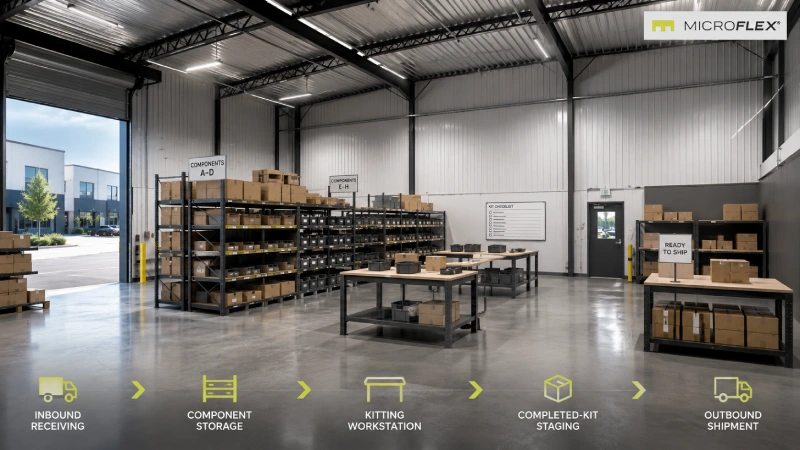
Kitting and Light Assembly Workflow at a Glance
A small-bay workflow becomes easier to understand when each stage has a distinct role rather than allowing receiving, active inventory, work-in-process, and completed kits to occupy the same area.
| Workflow Stage | Primary Function | Typical Position in the Flow |
|---|---|---|
| Receiving | Incoming cartons, components, or supplies enter the unit and wait for sorting. | Near the drive-up side |
| Component Storage | Organized shelving holds parts and supplies until they are needed. | Between receiving and the active work area |
| Kitting | Required components are gathered into a defined kit or order group. | At a dedicated worktable or preparation zone |
| Compatible Light Assembly | Simple preparation or assembly work occurs when appropriate for the business and unit. | At a separate or shared work area |
| Completed-Kit Staging | Finished kits or prepared orders wait for outbound movement. | Between the work area and drive-up side |
| Outbound Movement | Completed work leaves the unit through the primary movement path. | At the drive-up roll-up door |
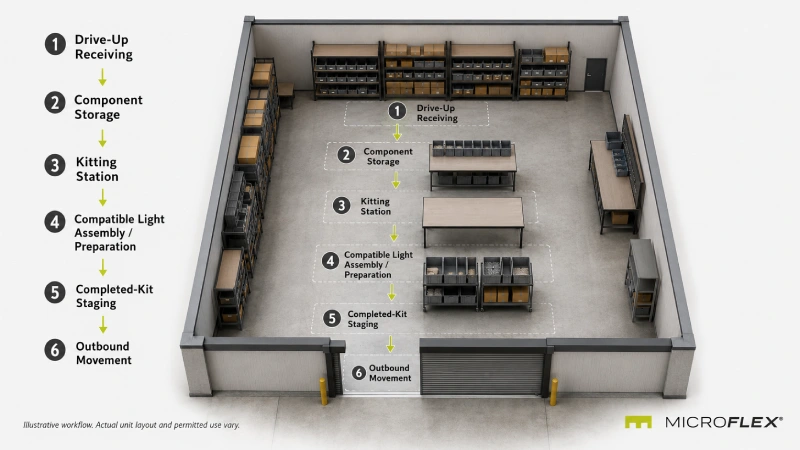
In This Article
- How receiving starts the workflow
- How component storage supports kitting
- What a kitting station does
- Where compatible light assembly fits
- How to separate work-in-process from stored inventory
- How completed-kit staging connects to outbound movement
- Why circulation matters across the workflow
- How different MicroFlex configurations can affect the layout
- What changes at Auburn-Opelika
- Frequently asked questions
Receiving Starts the Kitting Workflow
Incoming components need a transition point before they become active inventory.
In a purpose-built MicroFlex unit, the drive-up roll-up door creates a direct connection between the vehicle-side area and the operational bay. A receiving zone positioned near that movement path can temporarily hold incoming cartons, components, packaging supplies, or other compatible materials before they move into their assigned storage positions.
The key distinction is between receiving and storage. Receiving is temporary. Storage is where sorted inventory remains until the workflow needs it.
A simple inbound sequence can be represented as:
Drive-Up Access → Receiving → Sorting → Component Storage
Keeping those stages conceptually separate can make it easier to identify which items have arrived, which have already been organized, and which are ready to enter the kitting process.
Organize Component Storage Around the Kitting Process
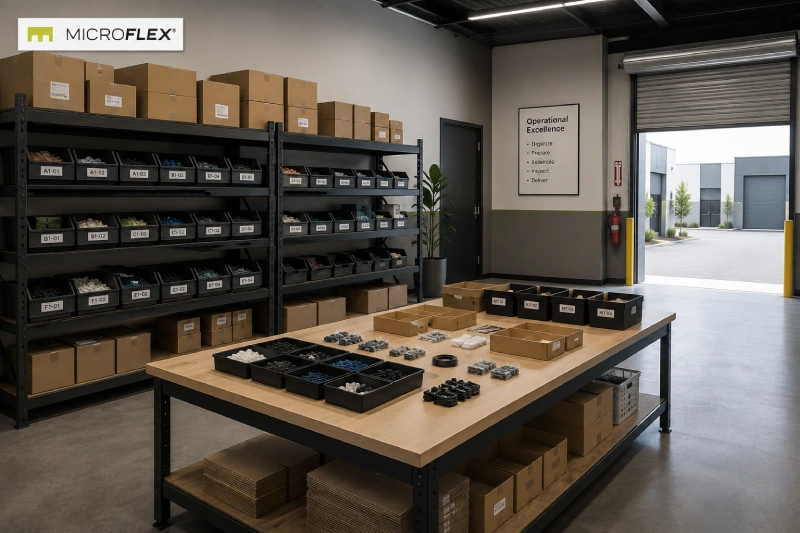
Component storage is most useful when its layout reflects how parts move toward the kitting station.
A generic operation may separate inventory into groups such as:
- frequently used components
- lower-frequency components
- packaging materials
- reserve inventory
- components already allocated to active kits
Frequently accessed components may occupy shelving closer to the active preparation area, while reserve items may sit farther from the highest-movement path.
This is an operational example, not a prescribed storage system. The useful question is how often an item moves between storage and the kitting station.
What Happens at a Kitting Station?
The kitting station is where separate components become one prepared group for a defined kit, order, or internal work batch.
For example, a generic product kit might require several components, printed materials, packaging, and a final container. Instead of pulling each item independently during outbound preparation, the operator can bring those components together at one defined work area.
A kitting station may therefore need:
- a clear work surface
- nearby access to active component inventory
- space for empty containers or packaging
- a defined position for incomplete work
- a separate path for completed kits
The important point is the direction of movement. Components arrive at the station from storage, and completed kits leave the station toward the next stage.
That creates a clearer sequence than allowing incoming components, unfinished kits, and completed work to accumulate on the same surface.
Where Does Compatible Light Assembly Fit?
Kitting does not necessarily require assembly, but some operations may include a compatible light preparation or assembly step between component picking and final staging.
That step can sit immediately after kitting when the process is sequential:
Component Storage → Kitting → Compatible Light Assembly → Completed-Kit Staging
Other operators may use the same worktable for kitting and simple preparation when the activities do not need separate zones.
The MicroFlex product reference does not establish approval for a particular manufacturing process, machine, tool, material, or assembly activity. Any proposed activity needs to be appropriate for the selected unit and permitted use.
For that reason, the layout discussion here is intentionally limited to workflow. It does not assume heavy fabrication, industrial machinery, hazardous materials, specialized ventilation, or any other process-specific requirement.
Separate Work-in-Process From Stored Components and Completed Kits
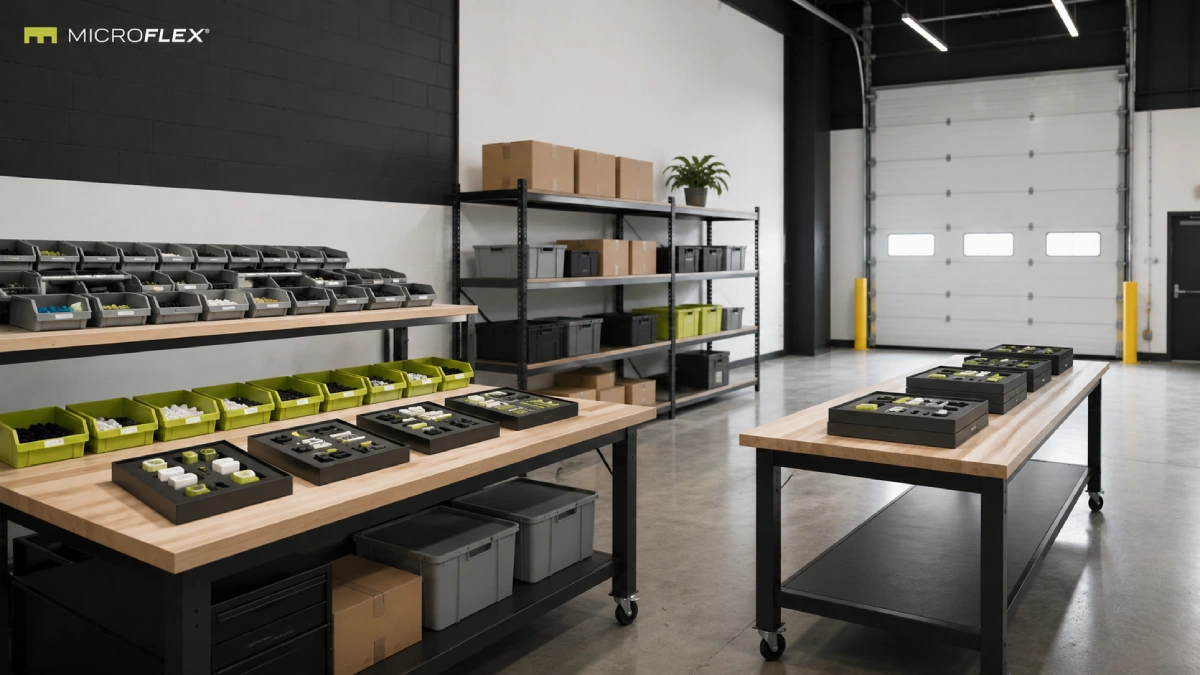
Once a kit has entered preparation but is not yet complete, it has a different role from both raw inventory and finished work.
A defined work-in-process area can create a visible distinction among three states:
| Inventory State | What It Represents |
|---|---|
| Stored Components | Parts and supplies that have not yet entered an active kit. |
| Work-in-Process | A kit or preparation batch that has started but is not yet complete. |
| Completed Kits | Prepared work that has finished the internal workflow and is ready for its next movement step. |
The value of this distinction is visibility into the flow of work inside the bay. A completed kit does not need to return to component storage, and an incomplete kit should not be mistaken for outbound-ready work.
Connect Completed-Kit Staging to Outbound Movement
After kitting and any compatible preparation step are complete, the workflow changes direction. The focus moves from components coming toward the work area to completed kits moving away from it.
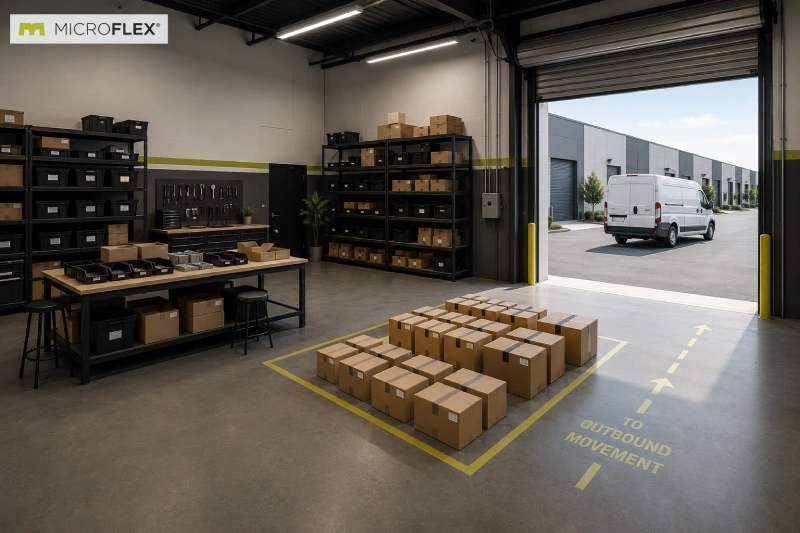
A completed-kit staging zone can sit between the active work area and the roll-up-door movement path.
The outbound sequence may look like:
Kitting / Preparation → Completed-Kit Staging → Drive-Up Access → Outbound Movement
The staging area is a transition zone rather than permanent storage. Its purpose in the workflow is to keep completed work distinct from active component inventory and unfinished kits while it waits for the next movement step.
Think About the Entire Workflow as One Direction of Movement
A kitting layout is easier to interpret when the sequence is visible across the bay.
One example is:
Receiving → Component Storage → Kitting → Compatible Light Assembly → Completed-Kit Staging → Outbound Movement
Not every operator needs each stage, and the exact physical arrangement can vary. The sequence is useful because it identifies where items change status during the operation.
Incoming components become stored inventory. Stored components become active kit contents. Active work becomes completed work. Completed work moves toward outbound staging.
That progression can provide a more useful starting point for organizing the unit than treating shelving, worktables, and staging areas as unrelated pieces of furniture.
How Can the MicroFlex Configuration Affect a Kitting Layout?
The basic workflow can be considered separately from the selected configuration.
FLEX is the open-bay base configuration, which keeps the primary emphasis on ground-floor operational space.
FLEX+ adds an enclosed rear office, which may separate compatible desk-based functions from the main bay when that separation is useful to the operation.
FLEX Premium adds a mezzanine, and FLEX Ultimate is defined by a full mezzanine plus premium finish. Mezzanine use should be evaluated separately based on the intended function and the details of the individual unit.
The workflow does not require a higher configuration simply because it includes several stages. The relevant question is whether the operation benefits from an enclosed office, vertical separation, or the open-bay base layout.
For more detail on the product tiers, see
Inside the Four MicroFlex Configurations
.
How Do the Purpose-Built Features Fit Into the Workflow?
Purpose-built MicroFlex units include a drive-up roll-up door, private restroom, HVAC, and LED lighting.
Typical purpose-built units are approximately 1,000 to 1,250 square feet, with standard bay dimensions of approximately 25 by 40 or 25 by 50 feet.
The drive-up side is particularly relevant to this workflow because both receiving and outbound movement connect back to the same primary access point. The rest of the interior can then be organized around the stages occurring between those movements.
A broader explanation of operational planning is available in
How Small-Bay Flex Space Supports Daily Business Operations
.
How Is Auburn-Opelika Different?
Auburn-Opelika is a rebranded property rather than a purpose-built MicroFlex location, so the standard purpose-built product description should not automatically be applied there.
Auburn-Opelika units include drive-up roll-up doors and private restrooms. Climate control varies by unit, mezzanine configurations are not available, and units do not begin at 1,000 square feet.
Any business considering a kitting or compatible light assembly workflow at Auburn-Opelika should confirm the features, layout, and permitted use of the specific available unit.
Frequently Asked Questions About Kitting and Light Assembly Workflows
What Does Kitting Mean in This Article?
Kitting refers to gathering multiple components into a defined kit, order group, or internal preparation batch before the completed work moves to its next stage.
What Does Light Assembly Mean Here?
Light assembly refers only to a compatible simple preparation or assembly step that may follow kitting. The article does not assume approval for a specific manufacturing process, machine, material, or regulated activity.
What Is a Basic Kitting Workflow?
A basic example is receiving, component storage, kitting, compatible preparation or light assembly when applicable, completed-kit staging, and outbound movement.
Where Does Receiving Fit?
Receiving generally serves as the first temporary transition between inbound movement through the drive-up side and organized component storage.
What Is Work-in-Process?
For this workflow, work-in-process means a kit or preparation batch that has started but has not yet reached the completed-kit stage.
Does a Kitting Workflow Require FLEX Premium or FLEX Ultimate?
No such requirement is established by the MicroFlex product reference. The workflow and the configuration are separate considerations. Configuration availability and suitability depend on the individual unit and operation.
What Features Are Verified at Purpose-Built MicroFlex Locations?
Verified purpose-built features include a drive-up roll-up door, private restroom, HVAC, and LED lighting.
Does the Same Purpose-Built Description Apply at Auburn-Opelika?
No. Auburn-Opelika is rebranded rather than purpose-built. Climate control varies by unit, mezzanines are not available, and units do not begin at 1,000 square feet.
How Can I Confirm Whether a Specific Operation Fits an Available Unit?
Review the current MicroFlex location information and contact the leasing team to confirm the available unit, configuration, physical features, and permitted use for the proposed operation.
Related MicroFlex Resources
How Small-Bay Flex Space Supports Daily Business Operations
What Flex Industrial Space Is and How MicroFlex Is Configured
How Residential Contractors Organize a 1,000 to 1,250 SF Flex Unit
Explore Current MicroFlex Locations
A kitting workflow can be mapped as a sequence of physical movements rather than a collection of disconnected storage and work areas. Receiving, component storage, preparation, work-in-process, completed-kit staging, and outbound movement can each have a distinct role within that sequence.
Unit configuration, features, availability, and permitted use vary.
View Current MicroFlex Locations
Important Information
This article is published by Founders Investment Properties, LLC, owner and operator of MicroFlex®. Content is provided for general informational and educational purposes only. Nothing in this article constitutes legal advice, tax advice, financial advice, investment advice, insurance advice, real estate brokerage advice, or any other form of professional advice. Readers should consult their own attorneys, accountants, tax professionals, insurance brokers, and licensed real estate professionals before making decisions based on the topics discussed.
MicroFlex® is a registered trademark of Founders Investment Properties, LLC. Photos may be representative and may not reflect a specific location. Product configurations, features, lease terms, pricing, and availability are subject to change. Current information is available at microflexspace.com or by contacting the leasing team directly.